Home
 

Latest News

Send an e-mail to news@blindfold-chess.app to receive future updates in your inbox.

Short Move Audio ๐ŸŽ™๏ธ and Pre-moves ๐Ÿ–ฑ๏ธ

Short Move Audio (for quadrants input) ๐ŸŽ™๏ธ: You can now choose between Full move audio (default) and Short move audio. Short move audio speeds up play by announcing moves concisely (e.g. "Knight f3", "e4", "castles g", "e takes d5") without verbose phrasing like "from ... to ...".

Pre-moves (for mouse input) ๐Ÿ–ฑ๏ธ: In single-board games, you can now enter pre-moves while the opponent is thinking. Queued moves are highlighted in orange and can be canceled anytime by right-clicking or clicking an empty square.

Drag or Click ๐Ÿ–ฑ, Simuls Against Humans ๐Ÿ‘ฅ and More News ๐Ÿค–!

If you don't want to train visualization and want to focus solely on memorization, you don't mind seeing an empty chessboard, so you can play with a mouse ๐Ÿ–ฑ eyes-open and drag (invisible) pieces or click squares. Although we maintain our focus on quadrant-based input for real eyes-closed play, these added input modes now have full support in all game modes (including bot and human simuls, colored circles, with and without time control, etc.).

Simuls against humans ๐Ÿ‘ฅ can now be played! If multiple opponent moves are available, the app automatically navigates you to a board based on the time remaining and the expected number of moves to play.

Improvements for bot simuls ๐Ÿค–:

  • Variety: The app now supports selecting different strengths and playing styles for different boards.
  • Speed: The bots think while it's your turn, so by the time you make a move, the next board is ready immediately.
  • Ordering: Bot simuls for 3 or more boards now have explicit options "In board order" vs "Random board order".

Play Humans ๐Ÿ‘ฅ

We're thrilled to introduce Play Humans — online play via the open Lichess API! You can now play live rated or unrated games against players across the world while you play completely blindfolded (or using your favorite visual assistance), with no special setup required for your opponent.

  • Pairing & Challenges: Challenge friends directly by username or jump into Automatic Pairing.
  • Standard & 960 Chess: Full support for both standard and 960 chess. In 960 games, swipe down before your first move to hear the back-rank piece configuration read out loud (in our 5-letter code format).
  • Audio Clock & Move Repeats: Opponent moves are spoken out loud in real time. Swipe up from the center square at any moment to hear your remaining clock time, and swipe down to repeat the opponent's last move.
  • Available Time Controls: Blitz (3+0, 3+2, 5+0, 5+3), Rapid (10+0, 10+5, 15+10), and Classical (30+20, 45+45, 60+30, 90+30).
  • Connectivity Info: Two horizontal bars positioned above (opponent) and below (you) the center square/board show connectivity in real time ( Cyan for connected, Orange for disconnected). If your internet briefly drops while inputting a move, the app safely queues and sends your move the moment connection returns.
  • In-Game Controls: Abort games before your first move without rating impact, and open the game menu at any time — even while the opponent is thinking — to resign when needed.
  • Seamless Resume: Even if your device crashes, you can continue on another device to resume your game. Completed games automatically save to your Progress page with full PGN review.
  • Privacy-First & Secure: Direct OAuth 2.0 PKCE connection using minimal permissions (board:play and challenge:write). We never store any personal information; it is all on your device and, of course, your online games are on Lichess' servers

For full details, check out the updated User Guide!

Progress Page ๐Ÿ“Š

We've introduced the brand-new Progress page, giving you a centralized place to track your achievements and resume ongoing games!

  • Ongoing: Paused games and Puzzle Ascent sessions can now be conveniently resumed directly from the Progress page whenever you're ready to continue.
  • Achieved: View your completed games, race results, and high scores saved locally on your device.

Check out your progress via the Home screen!

Puzzle Ascent

Puzzle Ascent is a brand-new game mode crafted to elevate your tactical calculation and board visualization skills without looking at a board. You'll hear a chess position read out loud (swipe down from the center square to hear it again), and your objective is to find the winning tactic (checkmate or material gain).

Features:

  • 4 Ascent Levels: Choose Puzzle Ascent 6 (up to 6 pieces), Puzzle Ascent 8 (7โ€“8 pieces), Puzzle Ascent 10 (9โ€“10 pieces), or Puzzle Ascent 12 (11โ€“12 pieces) depending on how many pieces you want to visualize.
  • Progressive Rating Climb: Starting at 400 Elo and scaling up to 3000 Elo, each solved puzzle increases your rating by ~50 Elo as you climb higher.
  • Unlimited Time & Attempts: Take all the time you need to calculate lines and verify your visualization.
  • Both Perspectives: Playable from white's or black's perspective.

Give it a try now!

Lessons for Beginners ๐Ÿƒ

We've added lessons for beginners (freely available via the Home page), introducing them to the blindfold chess input system and for step-by-step improving their chess memory and visualization skills. If you're a teacher and want to stay updated about planned updates to the lessons, send an e-mail to news@blindfold-chess.app so that you can be notified.

15 New Fast-Responding Bots โฑ๏ธ

We've welcomed 15 new bots to the app, all having a new โฑ๏ธ icon, which indicates that this is the fastest responding bot of its rating. (More than 3000 bot-vs-bot matches were played with these new bots to recalibrate the ratings, now totaling over 9000 matches between our 75 bots.)

We've rolled out a major update to our chess bots:

  • Faster responses: All bots now respond quicklyโ€”even higher-rated ones.
  • Bots are now tagged with playstyle icons:
    ๐Ÿƒ beginner, ๐Ÿ”ฅ aggressive, ๐Ÿ› ๏ธ tactical, ๐ŸŒ positional, and ๐Ÿ›ก๏ธ defensive.
    For higher-rated bots, aggressive (๐Ÿ”ฅ) bots offer the most variety, while defensive (๐Ÿ›ก๏ธ) bots play least varied.
    (Max variance from top evaluation at fixed depth: ๐Ÿ”ฅ 40cp, ๐Ÿ› ๏ธ 30cp, ๐ŸŒ 20cp, ๐Ÿ›ก๏ธ 10cp.)
  • Calibrated ratings: Ratings have been recalculated across thousands of bot-vs-bot matches and rounded to the nearest multiple of 5. (And yes, poor Benny's rating was rescued from negative territory and bumped up to 100!)

We hope you like the new experience!

New: if you swipe down from the square in the center, you'll hear the last move again.

This is also available in the "๐Ÿ›‡ No visuals" mode, which is a new option where, apart from touch area borders, the game screen is completely black.

The "Help" selector now includes new options like "Colored Pieces", "Uncolored Pieces", "Uncolored Circles" and more to make the learning curve smoother for beginners.

Knight Race

A new game mode has been added: Knight Race. You'll hear 2 squares and the goal is to select the squares that form a knight's shortest path between the two squares. For example, if you hear "a1 โ†’ a2", the shortest paths are "start โ†’ b3 โ†’ c1 โ†’ end" and "start โ†’ c2 โ†’ b3 โ†’ end", so you must select "b3 c1" or "c2 b3" (6 taps).

  • Knight Race 1 has 14 exercises. The start and end have a smaller visual distance to each other and there is a maximum of 4 moves.
  • Knight Race 2 has 35 exercises and covers all paths (2, 3, 4, 5 or 6 moves).

๐ŸŽ‰ Timur Gareyev links to blindfold-chess.app

Holding the official Guinness Book of World Records title for the most simultaneous blindfold chess games (48 boards!), ๐Ÿ† Grandmaster Timur Gareyev (nicknamed Blindfold King) is the first person who comes to mind when we think about the incredible possibilities of blindfold chess.

We are thrilled that Timur has linked to blindfold-chess.app on his website BlindfoldKing.com!

Thank you very much, Timur. We hope that this will help more people discover the joy of blindfold chess โค๏ธ

Diagonal Race

A new game mode has been added: Diagonal Race. In this game mode, you'll hear 2 squares, for example "c1" and "e7". Can a bishop move from the first square to the second square in 2 moves? In this case there are 2 possible solutions: "g5" or "a3". Select both solutions in any order. If a bishop cannot move to the second square (because their colors are different), swipe from the square in the center to the right. How fast can you do the 26 exercises covering all diagonal path types?

Until version 159, taps were only registered if they were brief and perfectly still. While this ensured that accidental touches wouldn't trigger unintended moves, it also raised the barrier for new players โ€” especially for those trying to break their Quadrant Race record.

We changed this as follows:

  • Your tap is now handled the exact moment you touch the screen
  • Canceling a tap sequence of 1 tap, 2 taps, 3 taps (piece selected), 4 taps or 5 taps (piece selected and destination square almost selected) is now only possible by swiping from the square in the center to the left (instead of from any position to the left)
  • If you find the tap handling too sensitive and want to prevent accidental moves, you can enable the "Confirm Moves" setting. Then, during a game, confirm moves by swiping from the center to the right.

As always, we love hearing from you! Feel free to send us an email at hi@blindfold-chess.app.

New video: Master square color awareness and chessboard visualization

Today's release (app version 158) is all about making the app more accessible for beginners.

The new features are:

  • A new "Help" option: you can now choose to show an empty board during the game or even a board with circles for the pieces.
  • A new "See Board" menu item is available when viewing the PGN. You can step through all the moves of the game, seeing the pieces on the board.

It's now possible to start a game from any position!

Beginners can now start a game with fewer pieces, for example a king and a pawn/rook. (Hint for teachers: send the piece placement part of a FEN string to a student and ask them to paste it in the app.)

Advanced players can set up a hard position and start from there.

Instead of "Position: Standard", select "Position: Custom" and then update the FEN string to your desired position.

(App version 152.)

We've added a new game mode: Quadrant Race. Have fun!

See the User Guide (app version 151) for more information.

Streaming or teaching?

We've refined the explanations about streaming via the internet (Option A) and Bluetooth (Option B). We've also added a new feature: you can now show a touch-through chessboard (Option C) directly in the app!

See the User Guide (app version 146) for more information.

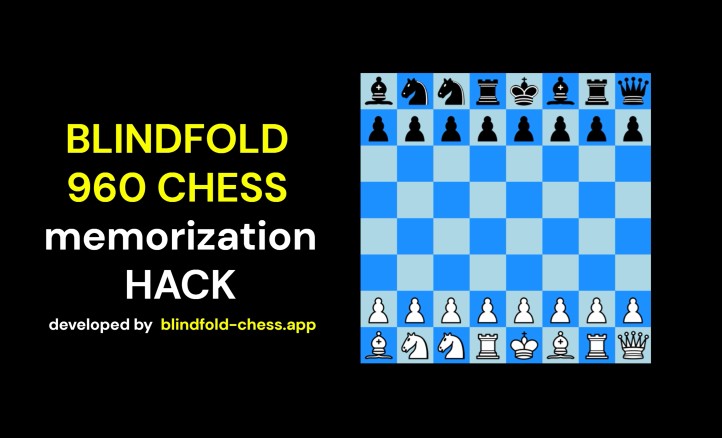
New video: BLINDFOLD 960 CHESS memorization HACK

On 30 August 2025 we first published (on X) the idea of using a 5-letter code to memorize any 960 chess starting position. Now we've made a YouTube video demonstrating it a bit more detailed:

Edit on 8 Feb 2026: we no longer use X, because that requires users to log in before they can see posts.

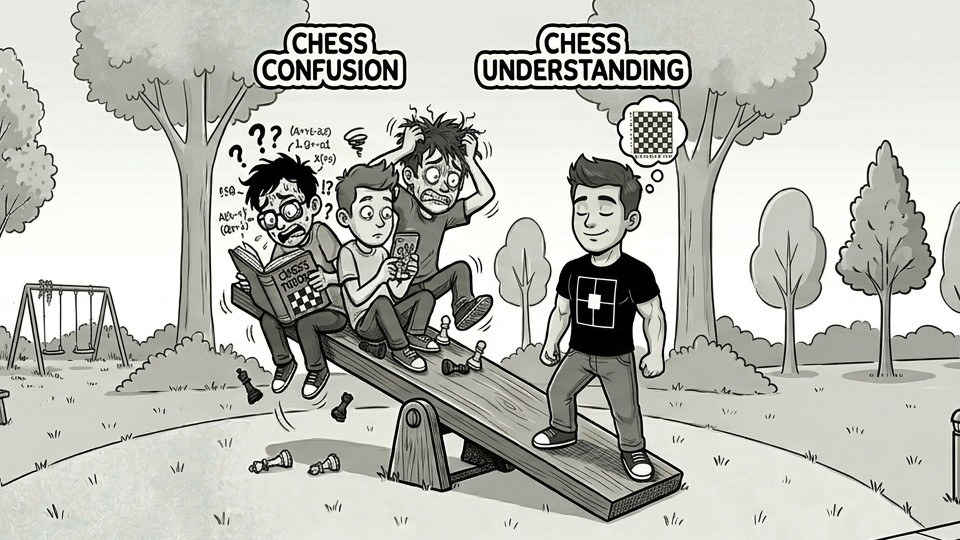
New video: How to Learn Blindfold Chess

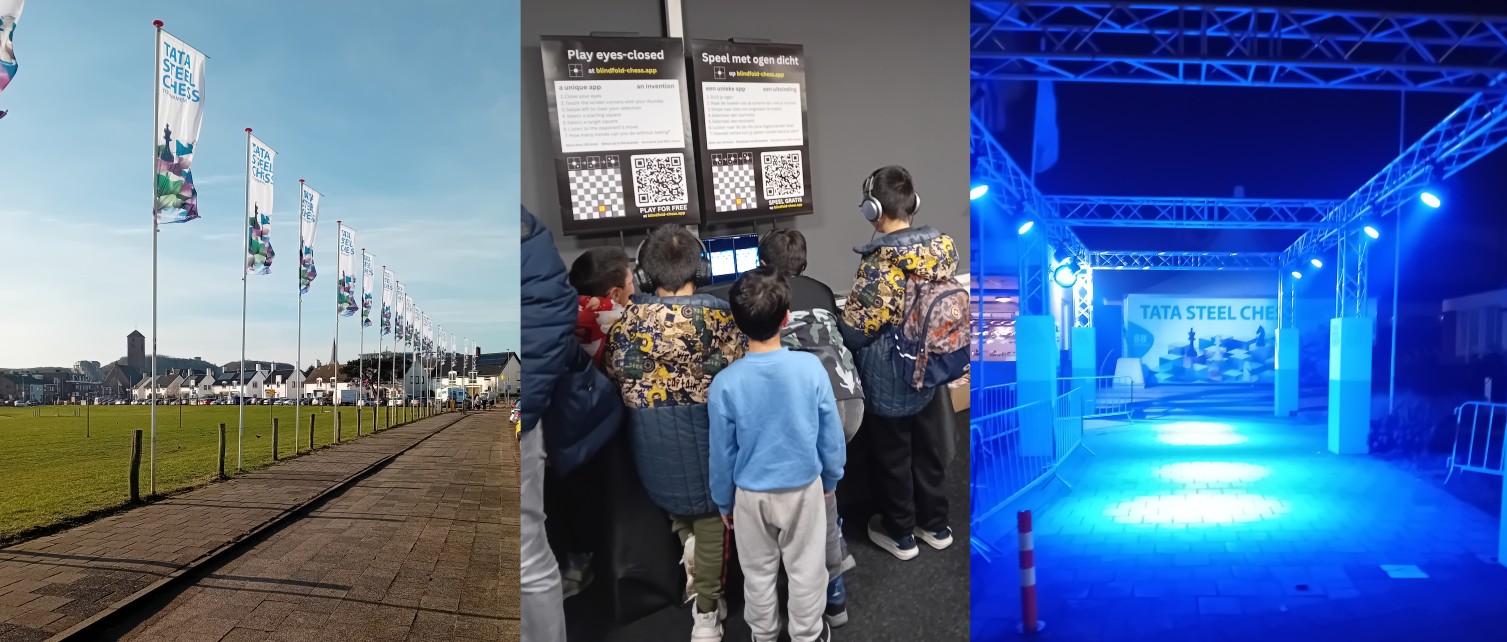
Big thanks to Tata Steel Chess for the chance to showcase the app this Jan & Feb 2026 to so many players! โ™Ÿ๏ธ

Now blindfold-chess.app is going global fast ๐ŸŒ

Another amazing day at Tata Steel Chess!

People noting the originality of this invention.
People offering to share blindfold-chess.app with their club & friends.
Connections being made with chess streamers.

This year may be a "boom"! ๐Ÿš€

Thank you card from blindfold-chess.app to Tata Steel Chess 2026.

That was fun at Tata Steel Chess.

People were excited that blindfold-chess.app is free to use. Had some great conversations about measuring learning progress and about visualization: do you "see" light or do you "know" space?

See you again on Wednesday!

Collage of three photos at the Tata Steel Chess tournament. Left: 'Tata Steel Chess' flags lining the walkway. Middle: Young participants using the blindfold-chess.app with demonstration material. Right: The tournament venue entrance illuminated at night, after a nice day.

โžก๏ธ We acquired blindfoldchess.app and let it redirect (to blindfold-chess.app)

If not using a touchscreen device, you can simulate touchscreen taps by registering keyboard keys or - since today's update - game controller buttons ๐ŸŽฎ

This was a feature request from a chess tournament participant this month.

(Close and reopen the app to get the latest version.)

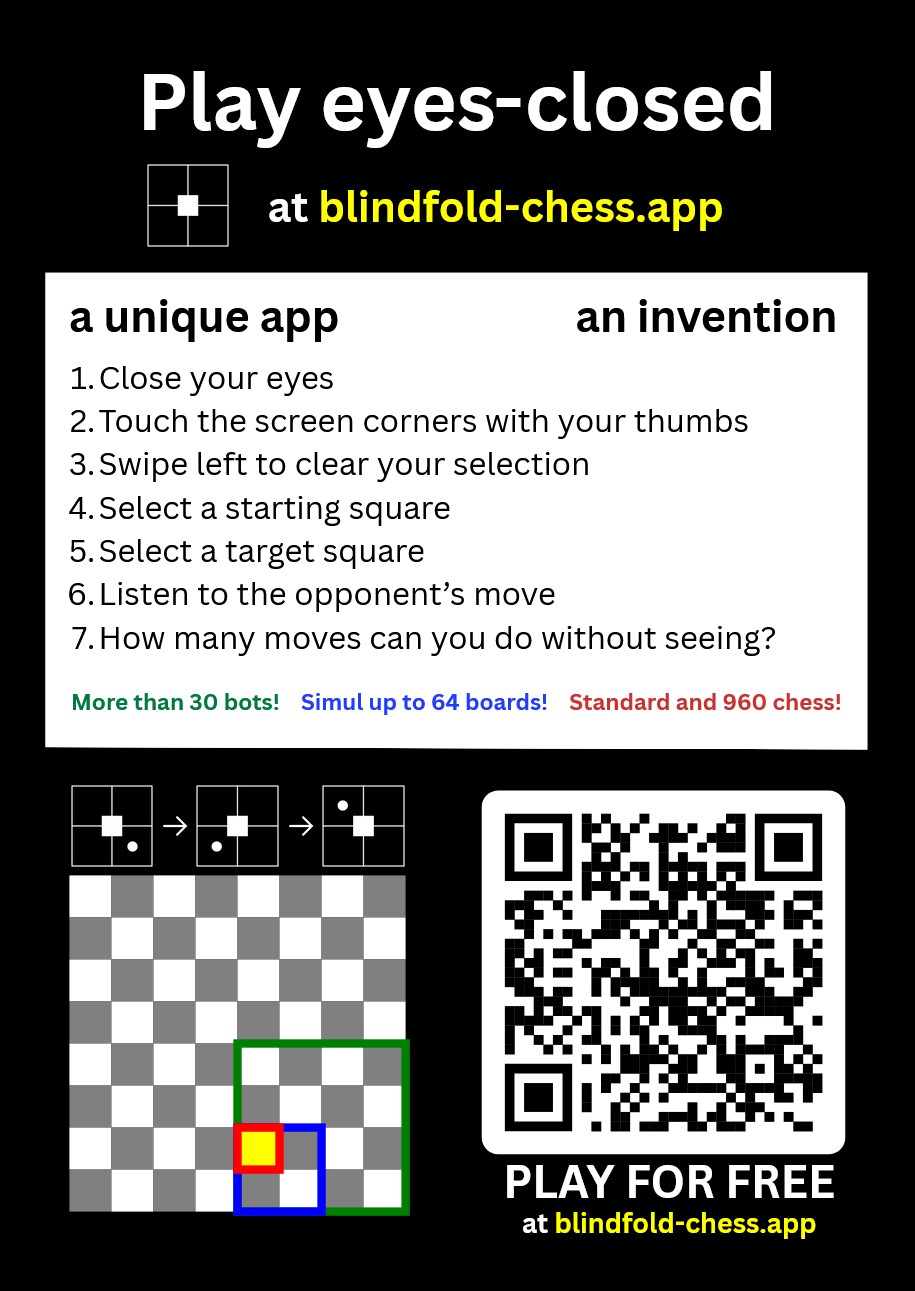
This is a flyer we hand out to all participants at a chess tournament in the Netherlands ๐Ÿ‡ณ๐Ÿ‡ฑ this month. In January we will also be at Tata Steel Chess! See you there ๐Ÿ˜Ž

Flyer about blindfold-chess.app

An unknown blindfold-chess.app player has finished a 4-board simul ๐Ÿฅณ

๐ŸŽ‰Congrats ๐ŸŽ‰

We don't know who the player is or in which country the player lives: for more information, see our privacy policy. Winner's cup for an unknown blindfold-chess.app player

๐Ÿฅณ Thanks, unknown tester!

Less than 24 hours ago, someone found a bug: promotion choices were shown when doing an illegal pawn move to the 8th rank. The issue has been resolved. You can close and reopen the app twice to get the updated app version.

Thrilled to see that blindfold-chess.app is part of a new generation of chess apps on TrendingChess.com ๐Ÿ“ˆ

TrendingChess.com hints to use blindfold-chess.app

Edit on 8 Feb 2026: IndieChess.com has been changed to TrendingChess.com.

Thrilled to introduce a new way to play chess! The app is already public for over a month now and today videos have been shared via YouTube and X.

blindfold-chess.app

Edit on 8 Feb 2026: we no longer use X, because that requires users to log in before they can see posts.

๐Ÿ  We acquired the domain blindfold-chess.app and moved the app here

๐Ÿš€ First version of the app was published

๐Ÿ”ง Building started